
Chrome extension for EMS providers
Fill an entire PCR before you touch the keyboard.
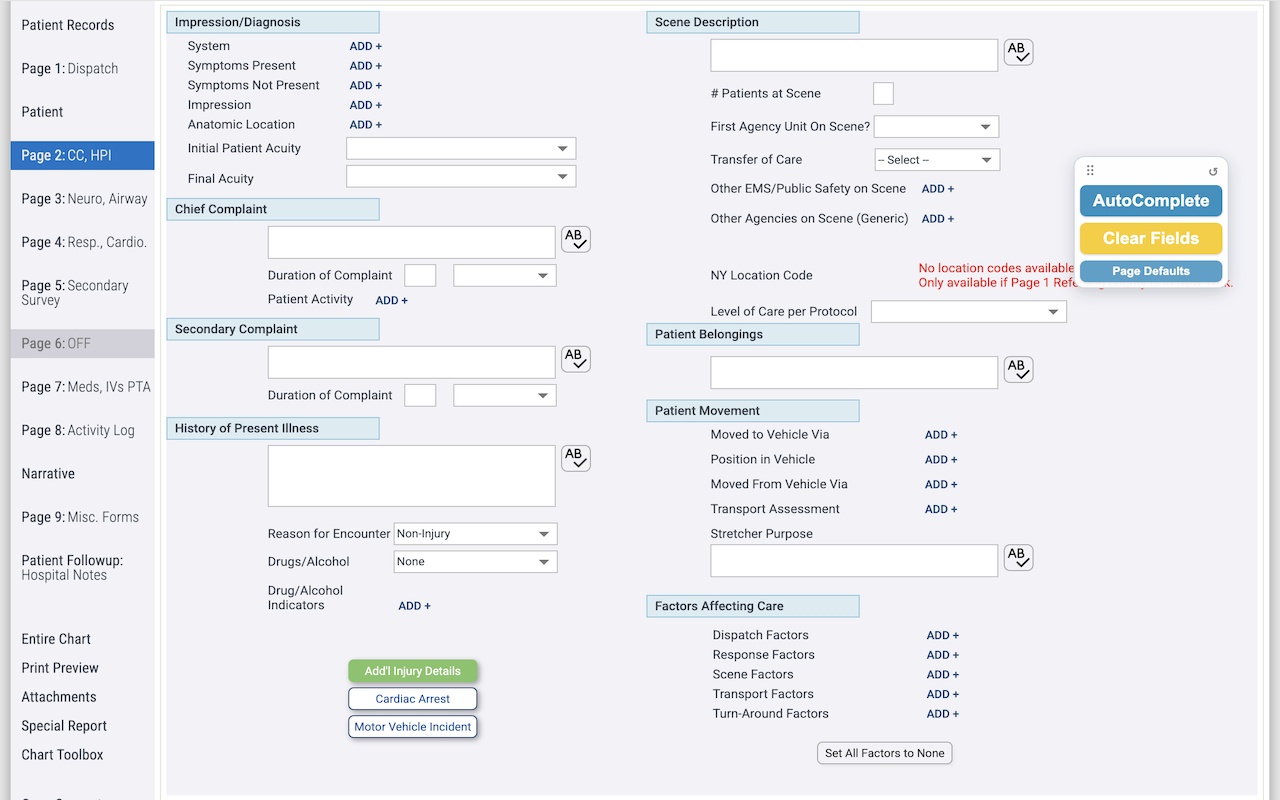
ChartAssist drops your pre-configured defaults into emsCharts in one click, then clears them for the next call. No patient data stored, ever.
What it does
One-click AutoComplete
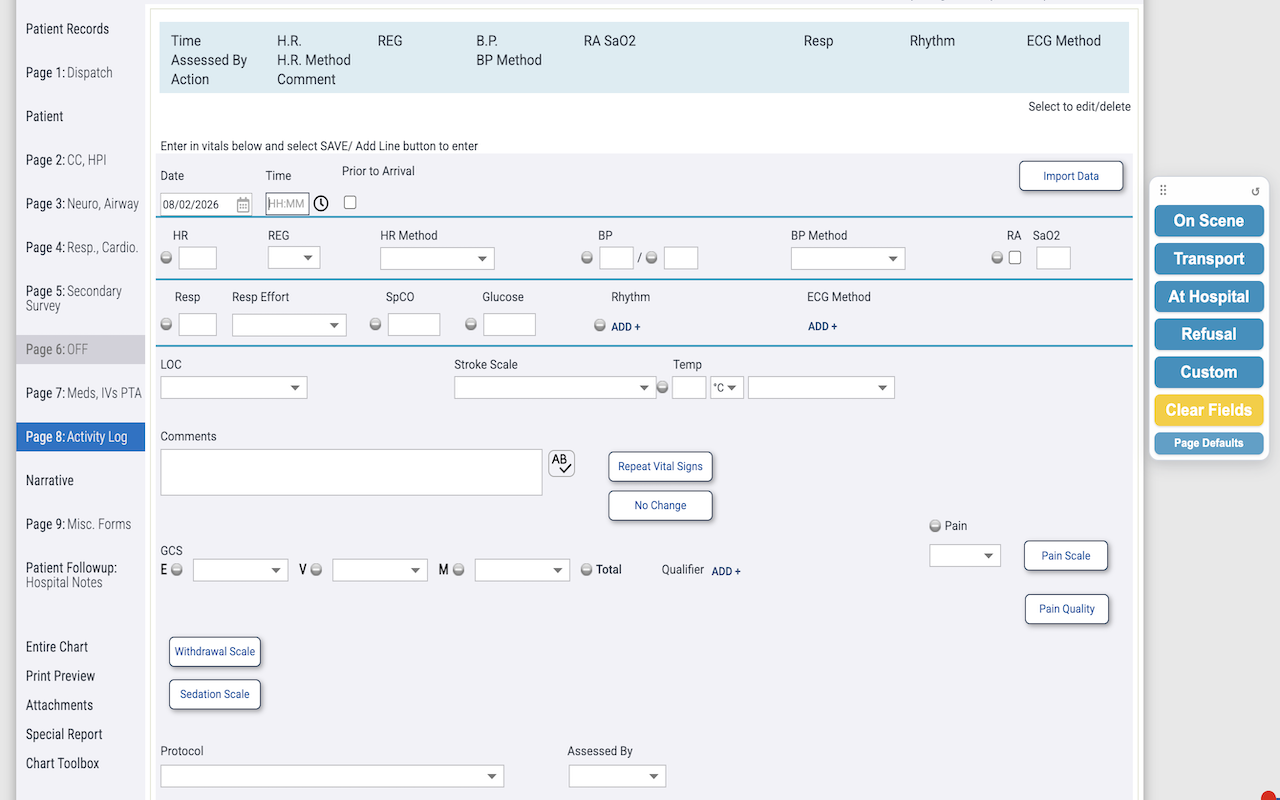
Fills your configured defaults across every PCR page — dispatch, exam, billing, and more.
Clear Fields
Reset those same fields for the next chart in one tap, behind a quick confirmation.
QA Mode
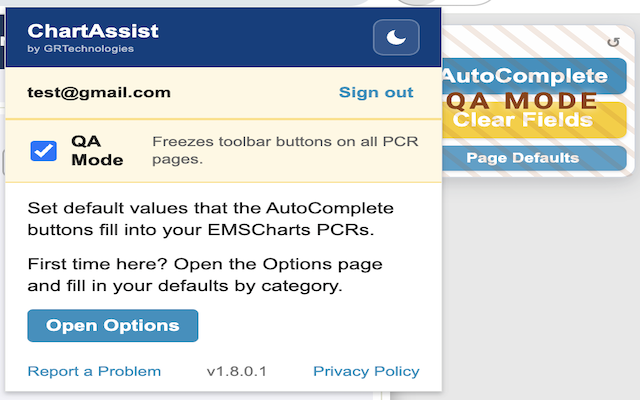
Freeze the toolbar during chart review so nothing can be changed by accident.
Agency login gate
Approved accounts only. The toolbar stays locked until an authorized user signs in.
How it works
Set your defaults
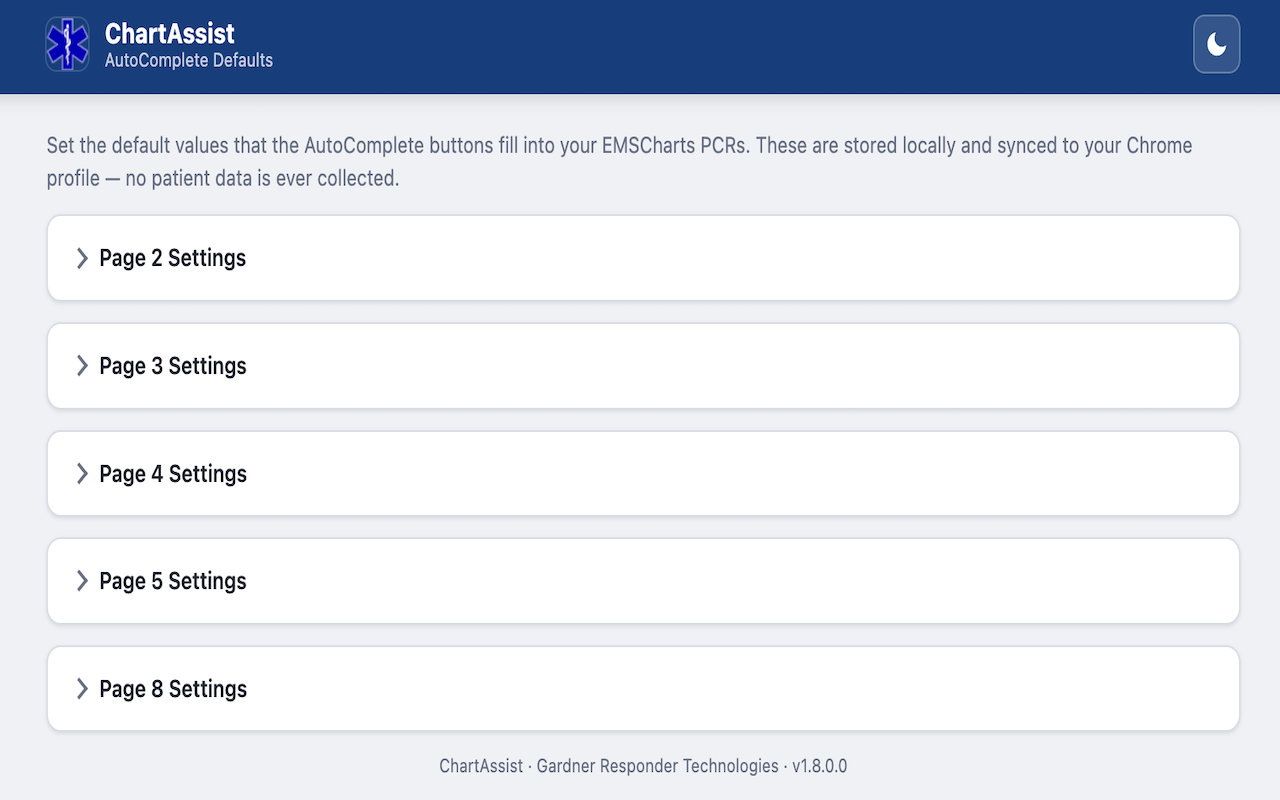
Enter the values you chart the same way every time on the Options page — once.
Click AutoComplete
Open a PCR and let ChartAssist fill the matching fields across the pages.
Clear for the next
Hit Clear Fields to reset those fields and start the next chart clean.
A closer look
No patient data. Ever.
ChartAssist is built so patient information never leaves your browser. It only handles the template defaults you enter and your login — nothing about any patient or chart is read, stored, or transmitted.
- No PHI handled. Only your saved defaults and sign-in are stored.
- Agency login gate. The tools stay disabled until an approved user signs in.
- QA Mode. Freeze the toolbar so nothing changes mid review.
Getting access
ChartAssist is available to approved EMS agencies. If your service is already set up, sign in from the extension. If not, reach out and we'll get your agency added.